
Download Unreal Commander – File Management, Batch Renaming, FTP Access, Compressed Files
Overview
Unreal Commander is a powerful file management tool designed to extend the capabilities of standard file explorers, offering advanced features that enhance productivity for users managing complex file systems. Built for users who require more control and efficiency than basic file browsing provides, the app delivers robust functionality tailored to both personal and professional workflows. It addresses common challenges such as disorganized file structures, slow search processes, and the need to handle multiple file formats without switching between applications. The app is particularly beneficial for individuals working with large datasets, developers, digital content creators, and anyone managing files across local and remote systems.
While the developer has not disclosed specific background details, the app’s feature set suggests a focus on utility and performance. Its ability to support compressed file formats, perform advanced searches, and integrate FTP functionality positions it as a comprehensive solution within the file management ecosystem. Real-world use cases include organizing media libraries, preparing project folders for collaboration, synchronizing directories across devices, and transferring files to remote servers. These capabilities make Unreal Commander a valuable asset for users seeking a streamlined, all-in-one file management experience.
Key Features & Functionality
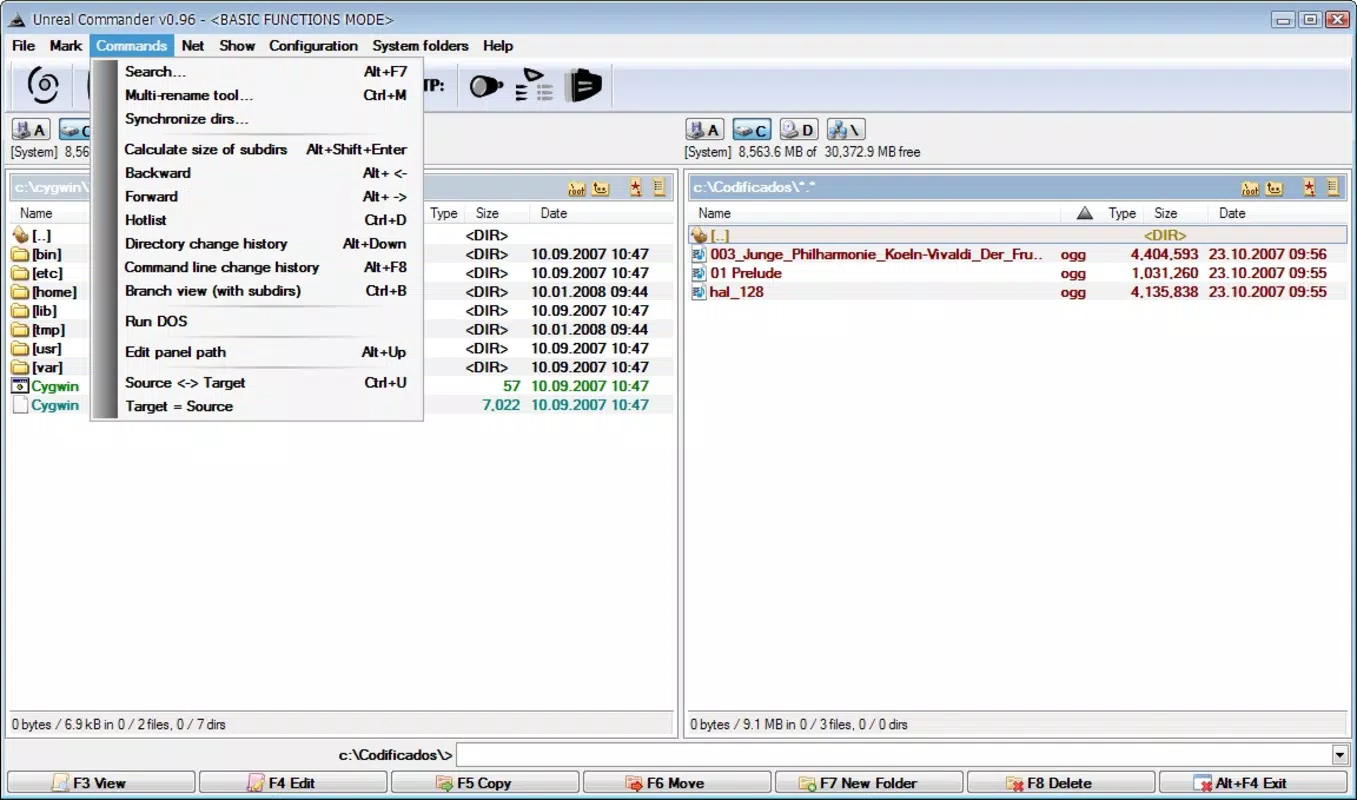
- Advanced Search Functionality: Enables users to locate files using complex criteria such as file type, size range, date modified, and content within files. This is especially useful when managing large directories where manual searching would be time-consuming.
- Batch Renaming Tools: Allows users to rename multiple files at once using customizable templates, numbering sequences, and pattern matching. Ideal for standardizing file names in bulk, such as renaming photo sequences or document series.
- Comprehensive File Compression Support: Native handling of ZIP, RAR, TAR, and other common archive formats eliminates the need for third-party software. Users can extract, create, and modify archives directly within the app.
- Built-in FTP Client: Offers seamless connection to remote servers via FTP, enabling users to upload, download, and manage files on external systems without additional tools.
- User-Friendly Interface: Features tabbed browsing, drag-and-drop support, and embedded viewers for text and images, improving workflow efficiency and reducing context switching.
For example, a photographer organizing hundreds of images can use batch renaming to apply consistent naming conventions, while a developer can search for specific code files across multiple directories. The FTP integration allows a team member to upload updated assets to a staging server directly from the app, enhancing collaboration and reducing dependency on external tools.
Interface, UX & Performance
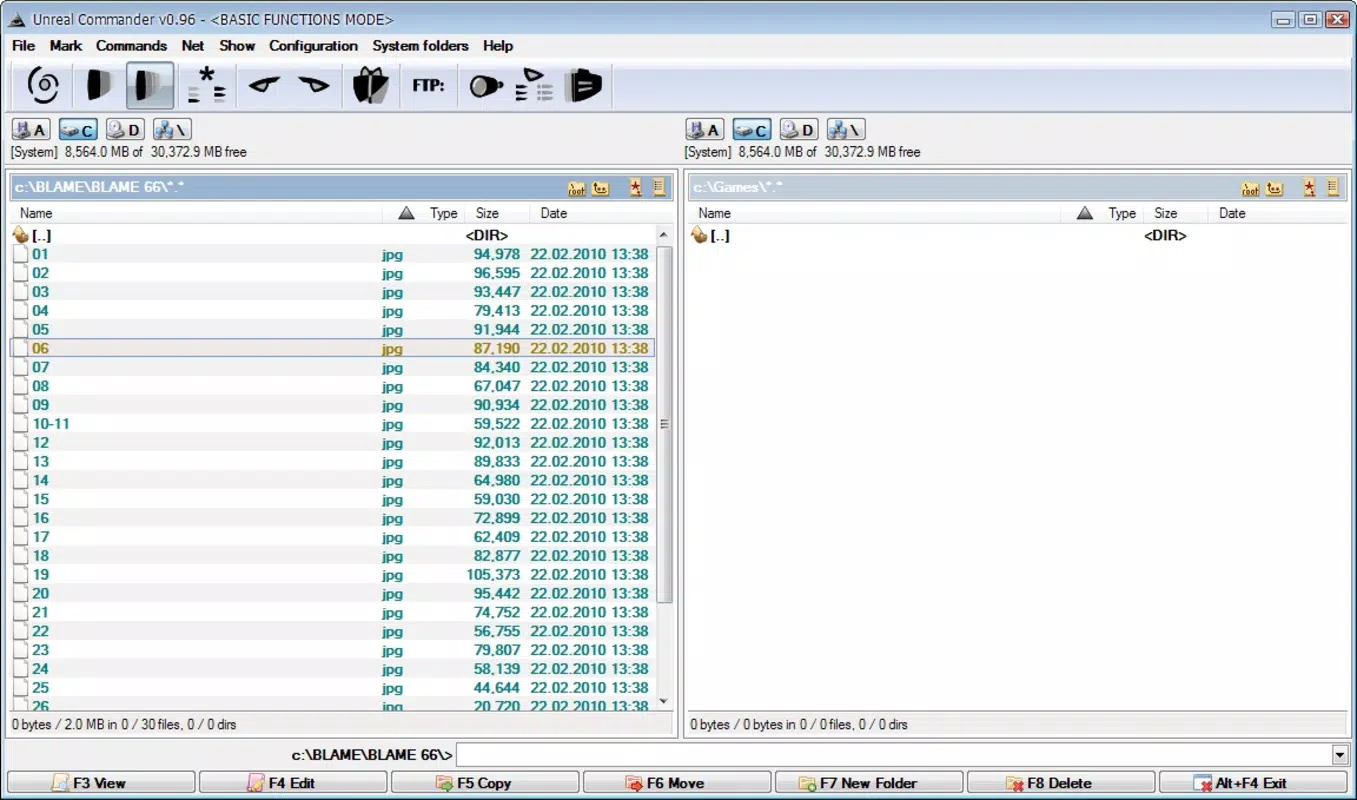
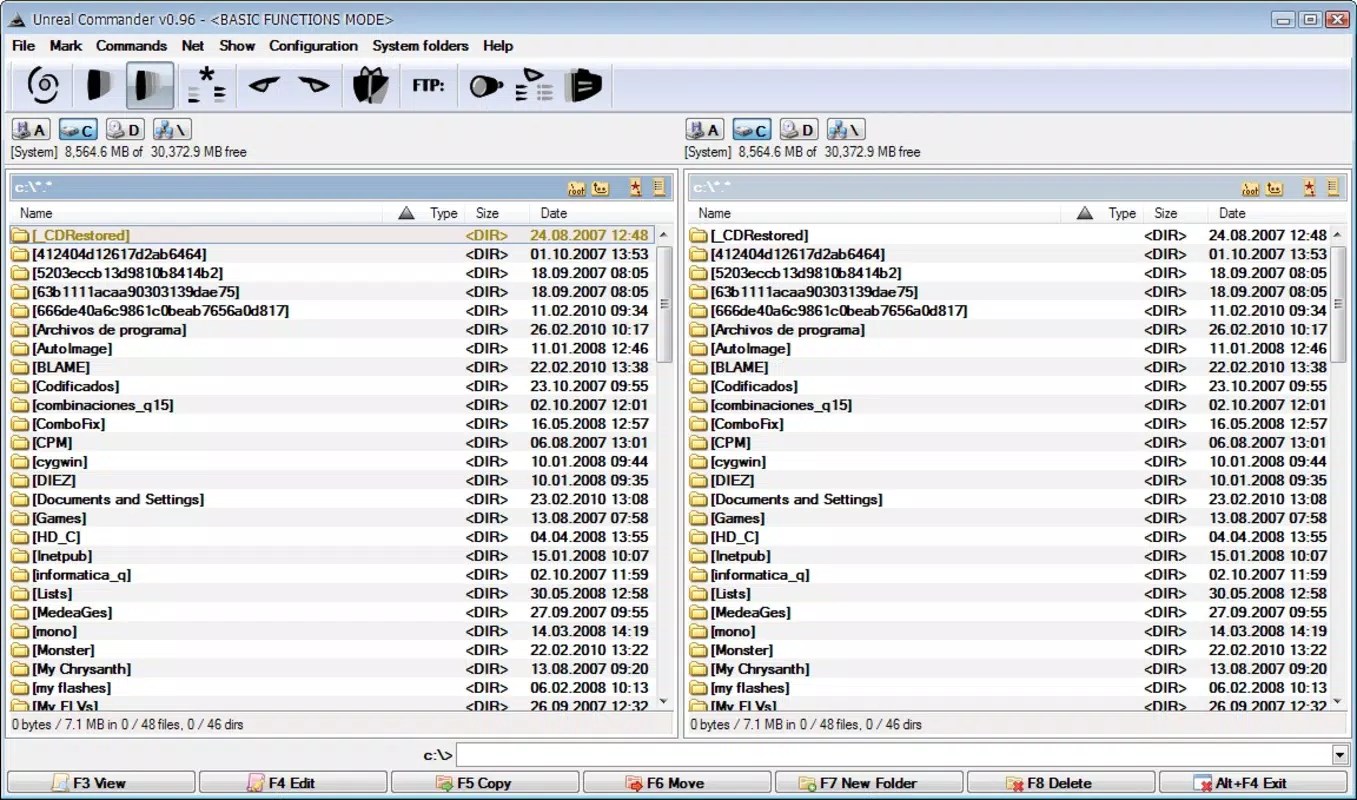
Unreal Commander presents a clean, dual-pane interface reminiscent of classic file managers, offering a familiar layout for users accustomed to desktop environments. The tabbed navigation system allows users to manage multiple directories simultaneously, improving multitasking capabilities. Visual elements are functional and minimal, with clear icons and intuitive menu placement. Drag-and-drop operations are responsive, and the embedded text and image viewers support quick previews without opening external applications.
Navigation is consistent and predictable, with logical grouping of functions and accessible context menus. The app maintains stability during prolonged use, with no reported crashes or freezes in standard usage scenarios. Although the developer did not list formal performance metrics, the interface remains responsive across different device categories, suggesting optimized rendering and memory management. Users can expect smooth transitions between folders and efficient handling of large file sets. The overall user experience is designed to minimize friction and maximize productivity, aligning with the needs of power users who value speed and control.
Platform Compatibility & Technical Requirements
Unreal Commander is available for the Windows platform, supporting the latest versions of the operating system. The app has a file size of 12.4 MB, making it lightweight and suitable for installation on devices with limited storage. The current software version is 3.2.1, released on December 10, 2024. Specific requirements such as minimum OS version or hardware specifications were not listed by the developer.
Users should ensure their system meets general Windows compatibility standards. While the developer did not specify compatibility with older Windows versions, the app is likely designed for modern Windows environments. Installation is straightforward, and the app does not require elevated permissions for basic operations. For users seeking a secure, efficient file management tool, Unreal Commander offers a reliable option with minimal overhead.
Pros and Cons
Pros
- Advanced search with customizable filters for precise file location
- Efficient batch renaming for large-scale file organization
- Native support for multiple compressed file formats
- Integrated FTP client for remote file management
- Intuitive dual-pane interface with tabbed browsing
Cons
- Developer did not provide detailed system requirements
- Interface may feel outdated to users accustomed to modern UI trends
- Limited documentation or in-app guidance for new users
- No cloud integration or sync features mentioned
- File size and version details not available for all platforms
FAQ
Is Unreal Commander safe to download and install?
Yes, Unreal Commander is a legitimate tool developed for file management. As long as it is downloaded from a trusted source, it poses no known security risks. Users should verify the authenticity of the download link to ensure a secure installation.
Can I use Unreal Commander on Android or iOS?
The available information indicates that Unreal Commander is designed for the Windows platform. No official versions for Android or iOS were mentioned, and the developer did not disclose cross-platform availability.
Does Unreal Commander support cloud storage services?
There is no indication that the app includes direct integration with cloud platforms such as Google Drive, OneDrive, or Dropbox. Users may need to access cloud files through their respective apps or web interfaces.
How often is Unreal Commander updated?
The latest version, 3.2.1, was released on December 10, 2024. The frequency of updates has not been disclosed, but regular releases suggest ongoing development and maintenance.
Can I transfer files between my local device and a remote server using Unreal Commander?
Yes, the built-in FTP client allows users to connect to remote servers and perform file transfers, including uploading, downloading, and managing files directly from the app interface.
Final Thoughts
Unreal Commander stands out as a capable and efficient file management utility for users who demand more than what standard file explorers offer. Its combination of advanced search, batch renaming, compression handling, and FTP integration makes it a powerful tool for managing complex workflows. While the interface may not reflect modern design trends, its functionality and performance deliver strong value for productivity-focused users. The app is particularly well-suited for professionals, developers, and digital creatives who manage large volumes of files across local and remote systems.
With a lightweight footprint and no reported stability issues, Unreal Commander offers a reliable, secure, and efficient experience. It fills a niche in the file management ecosystem by consolidating multiple tasks into a single, focused application. For those seeking a powerful, no-frills file manager, this tool delivers real utility without unnecessary bloat.
Download Unreal Commander now


